Data & Analytics
The Way You’ve Been Generating Reports is All Wrong
Every business team has a reporting rhythm. Weekly performance updates. Monthly reviews. Campaign recaps. Channel breakdowns. Customer cohort analysis. LTV reporting. QBRs. Board updates. Client reporting. The problem…
- Published
- Author
- AccessFuel Team
- Reading time
- 7 min read
Every business team has a reporting rhythm.
Weekly performance updates. Monthly reviews. Campaign recaps. Channel breakdowns. Customer cohort analysis. LTV reporting. QBRs. Board updates. Client reporting.
The problem is that too much reporting still depends on manual assembly.
Someone has to pull the numbers, clean up the view, choose the chart, add the summary, explain the shift, and turn the data into something another person can understand. That work matters, but it also creates drag. By the time the report is ready, the team has often spent more energy preparing the view than using it to make a better decision.
AIRA is designed to reduce that drag.
In your AccessFuel console, AIRA can turn connected business data into visual reports that are clear, structured, and ready to use. The output can include metric cards, charts, ranked tables, executive summaries, insights, recommendations, and follow-up questions that help your team keep going.
This isn’t reporting as a static dashboard.
It’s reporting as an intelligent workflow.
AIRA builds the report around the question
AIRA’s reporting experience is built for the way teams actually work. Instead of starting with a blank dashboard or a rigid template, you start with the question.
Ask for a channel performance report, and AIRA can return a ranked breakdown with revenue, sessions, users, and revenue per session, alongside a chart that makes the pattern easy to understand. Ask about customer LTV, and it can generate metric cards, distribution charts, and tables that help you see where value is concentrated.
The value isn’t just that AIRA creates visuals. It’s that the visuals come with context. AIRA can surface the takeaway, recommend the next move, and suggest follow-up questions so reporting doesn’t stop at “here’s what happened.” It moves into “here’s what matters, and here’s where to look next.”
That makes reporting faster, clearer, and easier to act on, whether you’re preparing for a weekly growth meeting, reviewing channel performance, building a client update, or deciding where to put budget next.
The report includes context, not just visuals
A chart is useful. A chart with context is better.
AIRA pairs data visualization with written analysis. That means a report can include an executive summary, insights, and recommendations in the same flow as the table or chart.
For growth teams, that changes the value of reporting.
A weekly channel report shouldn’t only answer, “What happened?” It should help answer:
- Which channel drove the most revenue?
- Which channel performed most efficiently?
- Where should we drill deeper?
- What changed compared with the prior period?
- Which campaign, audience, or customer behavior might explain the shift?
- What should the team do next?
AIRA helps move the report closer to those answers.
It also shows its reasoning before answering. That gives teams a clearer sense of how the report is being built, which data is being considered, and how the output is being framed. For anyone presenting numbers to a founder, client, board, or leadership team, that transparency matters.
Trust is part of reporting. AIRA is built to make the answer easier to inspect before it becomes part of a bigger decision.
Follow-up analysis is built into the workflow
The most useful report usually creates the next question.
In the demo, AIRA suggests follow-ups after generating the channel breakdown:
- Compare to February
- Break down Paid Search by campaign
- Show Email revenue trend
- Drill into Cross-Network performance
That matters because reporting rarely ends with the first view. A team sees a pattern, asks why it happened, then needs to cut the data a different way.
Traditional workflows make that feel like starting over.
AIRA makes it feel like continuing the same analysis.
The user can ask a follow-up, and AIRA creates a fresh report in the same conversation. In the demo, the next report focuses on the LTV of Meta-acquired customers who are subscribed to marketing.
AIRA returns metric cards showing:
- 7,378 customers
- $120.59 average LTV
- $90.18 median LTV
- $889,676 total LTV
Then it adds a “Customers by LTV Bucket” chart and an “LTV Distribution Breakdown” table.
That’s a different report with a different structure because it’s answering a different question. A channel performance report needs a ranked breakdown. An LTV report needs metric cards, distribution analysis, and a supporting table.
AIRA chooses the format around the work the user is trying to do.
AccessFuel connects the context behind the report
Reporting is only as strong as the context behind it.
AccessFuel is built to bring business context into one connected console, including commerce, marketing, analytics, customer, brand, campaign, CRM, support, content, and productivity systems. AIRA sits on top of that intelligence layer so teams can ask better questions, get clearer answers, and move from insight to execution without losing the thread.
The Connected Apps catalog currently includes 19 connectable apps:
Slack, Shopify, Notion, Instagram, GitHub, Gmail, Google Drive, Meta Ads Manager, Google Calendar, Fireflies, Google Sheets, Gorgias, LinkedIn, HubSpot, Mailchimp, Microsoft Teams, Zendesk, Stripe, and Klaviyo.
That broader context is important.
A reporting workflow may start with commerce revenue, but the next question might involve paid media, email performance, CRM activity, support trends, customer behavior, campaign planning, or team execution. AccessFuel is designed to make that context easier to work with in one place.
AIRA Connected Apps also supports a more action-oriented workflow. All 19 apps are connectable today, and action tools are rolling out connector by connector, starting with Gmail, Google Calendar, and HubSpot. Reads can run automatically, while actions that change something require approval with a preview in the chat.
That keeps teams in control while moving reporting closer to activation.
From reporting to operating rhythm
The bigger opportunity isn’t just faster chart creation.
It’s a better operating rhythm.
When reports are easier to generate, teams can look at performance more often. When reports include summaries and recommendations, teams can move from numbers to decisions faster. When follow-up questions are built in, teams can investigate patterns while they still have momentum.
That matters for ecommerce and growth teams because the work rarely lives in one tool.
Revenue might be in Shopify or Stripe. Campaign performance might live across Meta Ads Manager, Klaviyo, Mailchimp, or LinkedIn. Customer context might live in HubSpot, Gorgias, Zendesk, Gmail, or support conversations. Planning and documentation might sit in Notion, Google Drive, Google Sheets, Slack, or Microsoft Teams.
AccessFuel’s role is to make that operating context easier to understand and use.
AIRA’s role is to turn that context into the format your team needs right now.
Sometimes that’s a chart. Sometimes it’s a table. Sometimes it’s a metric-card summary. Sometimes it’s an executive narrative, a QBR summary, a campaign brief, a segment recommendation, or a next-step plan.
The reporting experience becomes less about assembling the view and more about improving the decision.
Reports should be clear enough to share
AIRA reports are built for the way teams actually communicate.
A founder doesn’t want a raw data dump. A client doesn’t want a chart with no explanation. A marketing lead doesn’t want to spend half a Monday translating performance data into a team update.
They need the numbers, the visual, the takeaway, and the next move.
That’s where AIRA’s reporting workflow is most useful. It helps teams create reports that are easier to review, easier to discuss, and easier to turn into action.
For agencies, that can mean faster monthly reports, clearer QBR narratives, anomaly flags, and performance summaries that require final human review instead of hours of manual assembly.
For brands, it can mean faster channel analysis, clearer LTV reporting, better retention diagnostics, and sharper campaign decisions.
For leadership teams, it can mean fewer meetings spent debating what the data says and more time deciding what to do next.
Reporting is becoming a conversation
The best reporting workflows don’t end at the first answer.
They keep the analysis moving.
AIRA helps teams start with a question, generate a visual report, inspect the reasoning, review the summary, and continue with the next layer of analysis. That’s the workflow AccessFuel is building toward: connected context, clear answers, and activation without constant tab switching.
Data visualization is part of that.
Reporting is part of that.
The real value is what happens when the report becomes a launch point for better decisions.
Generate your first report in minutes: https://www.accessfuel.com/
Related posts
Keep Exploring
Discover more insights, strategies, and updates from AccessFuel.
4 min read
Customer IntelligenceWhy Does One Buyer Look Like Five People?
One customer, five systems, five different versions of her. Customer data integration is what turns those blind systems into one that can see, and getting it wrong breaks everything downstream.

4 min read
Customer IntelligenceCustomer Intelligence: Why Can't 30 Tools Answer One Simple Question?
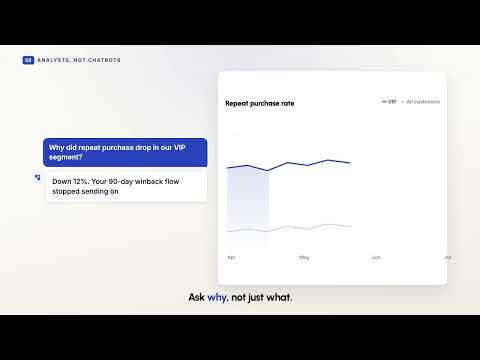
Most ecommerce brands run 30 or more tools and still cannot say why repeat purchases dropped last month. Customer intelligence is the layer that closes the gap between them.
5 min read
Customer IntelligenceCustomer Segmentation: Which of Your Loyalists Are About to Leave?
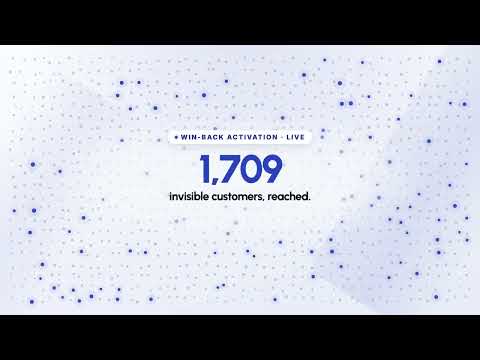
About one in five of your loyal customers are quietly slowing down. Shopify can confirm they exist. It will not tell you which ones are worth saving. RFM segmentation does.